
Extract & preserve
Locate candidate signatures across a document, then retain each crop as a linked, fingerprinted specimen.
Explore signature extraction ↗DOCUMENT FORENSICS SOFTWARE
Extract signature specimens, inspect document metadata and enhance captured paper features with forensic document examination tools.
Digital measurements and enhanced working copies support examination. Source quality, lighting and document context determine what can be assessed.
Locate candidate signatures and link each extracted specimen to its source page.
Select a feature or play the illustration.
01 / THE QUESTION DETERMINES THE METHOD
A multi-page PDF, a file’s embedded metadata and a backlit photograph contain different kinds of evidence. Match the examination to the available signal.
Locate candidate signatures across a document, then retain each crop as a linked, fingerprinted specimen.
Explore signature extraction ↗Read supported embedded metadata and flag timestamp or software entries that warrant contextual review.
Explore metadata examination ↗Enhance indentation or watermark signals and decode supported printer marks when the capture is suitable.
Explore capture-dependent workflows ↗HOW THE ANALYSIS WORKS
Fictional document for a guided workflow.
Detection & extraction / IN PRACTICE
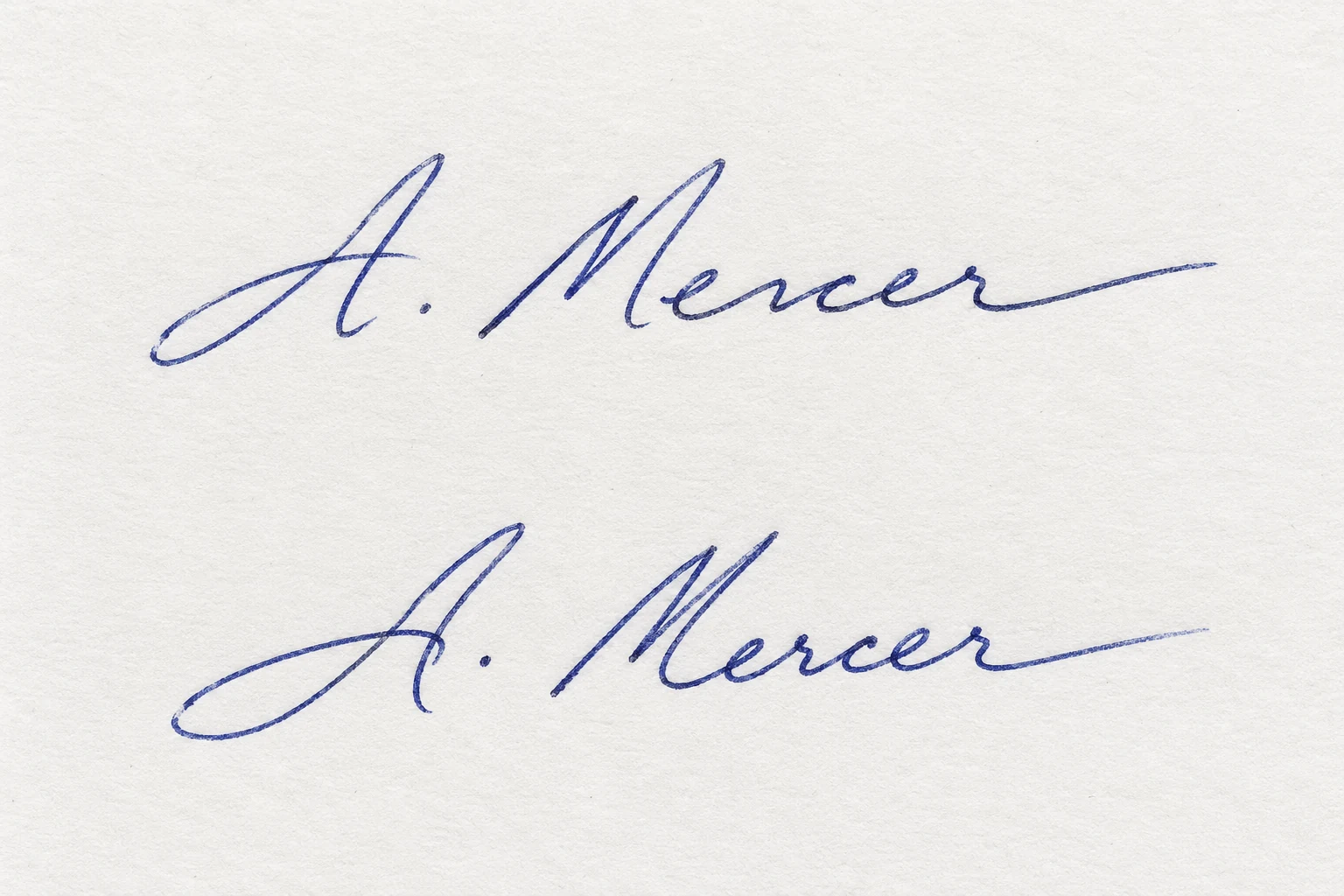
A signature on an agreement
Keep the source page and its position in the document. Supported page rendering can produce a 600 dpi export; the original capture determines the detail available.
Locate signature-shaped regions. The wider mark-extraction workflow also screens ink and ranks candidates such as initials, names and company chops.
Reduce surrounding whitespace around the selected ink region. Keep the original page available alongside the extracted specimen.
Compare the extracted sample with references where supported. Retain the crop-to-page relationship with the comparison and report exhibit.
Demonstration material · annotations explain the workflow; no case result is calculated.
02 / CAPABILITIES, EXPLAINED
See what each workflow examines, what it needs and how to interpret the result. Expand a workflow for inputs, features and limitations.
Locate likely signatures on a page, extract selected specimens and retain their source-page relationship.
What you receive: individual signature specimens, ink-boundary crops and source-linked comparison inputs.
A document-page image or a PDF, including multi-page PDFs.
Rendering at 600 dpi does not create detail missing from the original. Signature detection and broader company-chop screening are separate workflows.
Extract readable image or PDF information and check defined relationships between metadata fields.
What you receive: Available metadata and rule-based inconsistency flags for examiner review.
JPEG, TIFF or PDF. This metadata workflow rejects PNG.
Metadata may be absent or editable. A clean record does not establish an unaltered document; an inconsistency does not by itself prove tampering or backdating.
Enhance existing shadow gradients that may show impressions left by writing on a sheet above the examined page.
What you receive: An enhanced working image with clearer local contrast and directional edge detail.
A photograph taken under raking or oblique light.
An evenly lit photograph or flatbed scan lacks the required shadow-gradient signal. Enhancement complements specialist physical examination; it does not replace an electrostatic indentation examination or recover information never captured.
Inspect faint identification-dot patterns embedded by supported colour laser printers.
What you receive: Decoded identifiers where readable, and groups of documents sharing an identifier.
At least two document scans at 300 dpi or higher; additional documents are optional.
Only eligible colour laser printers embed the required pattern. Absence is inconclusive: the printer may not embed one, or resolution and compression may have destroyed the signal. This is not a universal printer-source matcher.
Enhance photographed paper features for closer manual inspection.
What you receive: A clearer watermark image and geometric flags for candidate security threads.
A backlit or transmitted-light document photograph.
Does not read, authenticate or match a watermark against a reference. Ordinary reflected-light photos and flatbed scans lack the required transmitted-light signal. A candidate thread is a visual lead, not proof of authenticity.
03 / TRADITIONAL + ASSISTED EXAMINATION
Extract specimens, inspect embedded records and enhance captured features with task-specific outputs.
| Examination task | Traditional examination | With Admissible assistance |
|---|---|---|
| Specimen preparation | Locate signatures manually, prepare crops and record the relationship to each source page. | Search all PDF pages, create candidate crops and retain linked fingerprints; review every extracted region. |
| Metadata review | Read file properties and compare timestamp and software entries manually. | Extract supported fields and apply repeatable inconsistency checks, while assessing missing or editable metadata. |
| Captured paper features | Acquire suitable raking-light or transmitted-light photographs and interpret visible features. | Enhance captured contrast and directional detail. Suitable lighting is still required; missing content is not invented. |
| Printer source comparison | Inspect eligible printouts for identification marks and compare readable patterns. | Decode supported printer identifiers and group shared identities. Unsupported printers and absent patterns remain inconclusive. |
| Time & cost | Capture, preparation, inspection, documentation and interpretation require working time. | May reduce repetitive extraction and field checking. Capture setup, candidate review, reporting and fees still count. |
| Accuracy & final opinion | Depends on source quality, suitable capture, reference suitability and appropriate physical examination. | Adds repeatable outputs with defined limits; performance depends on source quality and method suitability. |
Traditional examination may already use digital tools. This comparison describes workflow roles, not a claim that manual practice is inferior or that assisted outputs are automatically correct.
TIME & COST / YOUR OWN ESTIMATES
Enter the total working hours you expect for each approach, including capture setup, preparation, checking, interpretation and reporting. Include additional assisted-workflow fees.
Time saved is not evidence of better accuracy. Review extraction errors, metadata availability and the required lighting or printer signal against the actual document.
Traditional: US$1,200 · Assisted: US$850
Example assumptions only. These are not measured platform savings, quoted fees or a performance guarantee.
04 / A TRACEABLE PROCESS
Preserve the source and make the reasoning traceable. Choose the analysis only after confirming the examination question and input requirements.
Retain the original, record provenance and obtain the appropriate scan or specially lit photograph.
Confirm the accepted format, scan quality and required lighting before selecting the workflow.
Inspect the source alongside outputs. Consider conflicts, limitations and alternative explanations.
Document extracted data, enhanced views, screening flags and their source links.
Purpose-specific processing. Documented outputs. Explore the analysis engine ↗
START WITH THE EVIDENCE YOU HAVE
A source file, suitable capture and a clear examination question are the starting point.