
Compare the signatures
Assess visible resemblance, reference variation and additional comparison signals.
Explore comparison workflowsSIGNATURE COMPARISON SOFTWARE
Compare questioned and reference signatures with forensic signature analysis software. Examine captured writing dynamics and extract specimens from documents.
Compare visible features, genuine capture data and extracted specimens with task-specific measurements and explanations.
Review proportions, direction and visible stroke arrangement across the samples.
Select a feature or play the illustration.
01 / THE QUESTION DETERMINES THE METHOD
Start with the evidence you have. A scanned signature, a genuine digitizer capture and a full document require different analyses.
Assess visible resemblance, reference variation and additional comparison signals.
Explore comparison workflowsRead speed, pressure, timing and pen lifts from genuine capture data.
Explore writing dynamicsFind candidate signatures, initials, handwritten names and company chops for review.
Explore document extractionHOW THE ANALYSIS WORKS
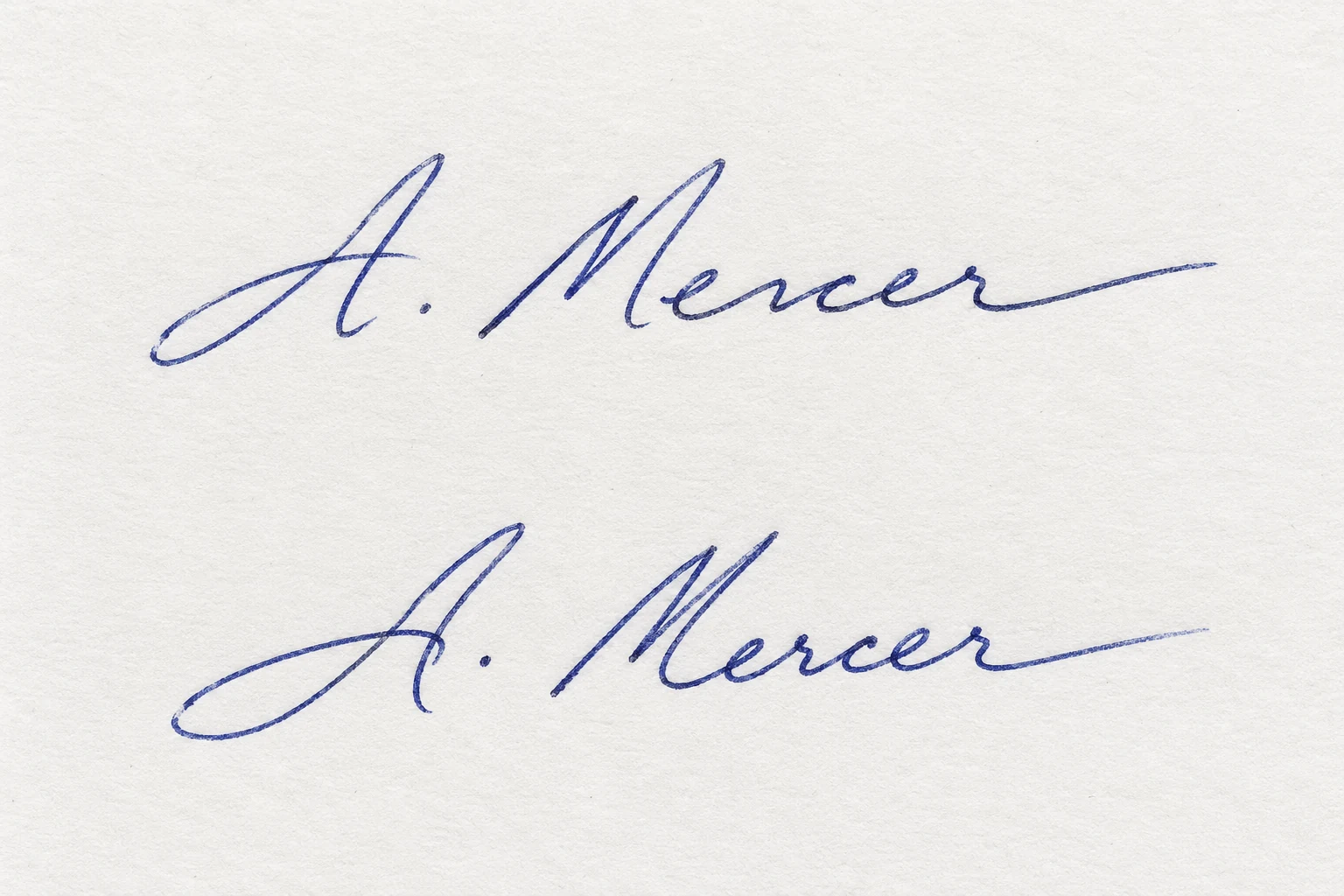
Signatures / IN PRACTICE
A questioned signature and known references
Separate questioned material from independently sourced known signatures. Retain natural variation across the reference set.
Compare overall form and regional stroke detail. Explicit measurements can describe contours, connections and loops, slant and stroke width.
Keep learned visual comparison and equal-weight shape measurements distinct. A separate visual review describes observed agreements and differences.
Supported fusion combines scores into a calibrated likelihood ratio. Preserve its reference and calibration context alongside the separate comparison views.
Demonstration material · annotations explain the workflow; no case result is calculated.
02 / CAPABILITIES, EXPLAINED
See what each workflow examines, what it needs and how to interpret the result. Expand a workflow for inputs, features and limitations.
Compare a questioned signature with known references, including signatures supplied in PDFs.
What you receive: a descriptive similarity score built from four equally weighted feature groups.
One questioned signature and 1–20 independently sourced known signatures.
No genuine/forged verdict. Further validation is pending; visual resemblance is not proof of authorship.
Compare the questioned specimen with variation across authenticated known signatures.
What you receive: a calibrated assessment and plain-language visual review.
One questioned signature and at least two known signatures.
The supplied unseen-scan notes reported about one in five genuine samples rejected. This is a specific test result, not a universal error rate.
Examine how a signature was written using actual position, time, pressure and pen-state records. Requires a genuine digitizer capture.
What you receive: writing measurements and side-by-side capture comparison.
A genuine digitizer capture; provide a second capture for questioned-versus-known comparison.
A photo or scan cannot provide genuine speed or pressure data and is rejected for this workflow. No automatic same/different-writer score is produced.
Examine signature features at multiple scales alongside a plain-language review.
What you receive: raw distance and observable comparison points.
One questioned signature and at least two known signatures.
Raw distance is not a calibrated probability or a verdict. Multiple outputs may share inputs or failure modes and must not be treated as automatically independent evidence.
Bring three comparison signals together while accounting for variation among known references.
What you receive: one calibrated likelihood ratio.
One questioned signature and at least two known signatures. A single reference produces an inconclusive result.
A likelihood ratio is not an authenticity probability. The supplied unseen-scan notes reported about one in seven genuine samples rejected; consider the calibration population and test scope.
Locate candidate signatures, initials, handwritten names and company chops on a document. Extracted regions remain candidate specimens.
What you receive: candidate crops and a linked custody record.
A document or image.
Candidate screening and extraction coverage depends on page quality and mark type. The replacement page-level detector is still in development.
Explore reference variation and simulated skilled forgeries in a training context. Practice only; not enabled for casework.
What you receive: a practice score using a fixed decision cut-off.
One questioned signature and at least two known signatures.
Compares questioned-to-reference differences with the variation among references.
Practice only; not enabled for casework. Supplied unseen-writer notes reported roughly one in three skilled forgeries still accepted. Do not use the score as a forensic conclusion.
03 / TRADITIONAL + ASSISTED EXAMINATION
Measure writing features, compare reference variation and organise the resulting outputs in one workflow.
| Examination task | Traditional examination | With Admissible assistance |
|---|---|---|
| Specimen preparation | Manually identify regions, organise references and document source relationships. | Candidate extraction and linked records can support preparation; every region still needs review. |
| Visual comparison | Inspection of form, stroke detail and natural variation. | Add descriptive similarity, multiple-reference assessment and plain-language observations. |
| Writing dynamics | Examine genuine capture records and interpret their movement and pressure data. | Quantify captured speed, pressure, timing and pen lifts for side-by-side review. |
| Time & cost | Preparation, comparison, reasoning and reporting require working time. | May reduce repetitive preparation and measurement work. Setup, checks, review and service fees also count. |
| Accuracy | Depends on source quality, references, reference suitability and method suitability. | Adds measurable signals but introduces validation, calibration and input-suitability requirements. No guaranteed accuracy uplift. |
| Result documentation | Document observed similarities, differences and reference variation in the report. | Add linked scores, comparison observations and method parameters to the report. |
Traditional examination may already use digital tools. This comparison describes workflow roles, not a claim that manual practice is inferior or that assisted outputs are automatically correct.
TIME & COST / YOUR OWN ESTIMATES
Enter the total working hours you expect for each approach, including preparation, checking, interpretation and reporting. Include additional assisted-workflow fees.
Time saved is not evidence of better accuracy. Assess each workflow’s tested population, failure modes and suitability for the actual questioned material.
Traditional: US$1,200 · Assisted: US$850
Example assumptions only. These are not measured platform savings, quoted fees or a performance guarantee.
04 / A TRACEABLE PROCESS
Preserve the source and make the reasoning traceable. Choose the analysis only after confirming the examination question and input requirements.
Retain the source, document provenance and select independently sourced known references.
Match the method to visual images, genuine captures or document extraction.
Inspect the source alongside outputs. Consider conflicts, limitations and alternative explanations.
Document observations, measurements, source links and processing history in the result record.
START WITH THE EVIDENCE YOU HAVE
Images, PDFs and genuine writing captures answer different questions.